
Home › Models › BYD SEALION 7 › Troubleshooting › DiLink Touchscreen & Infotainment
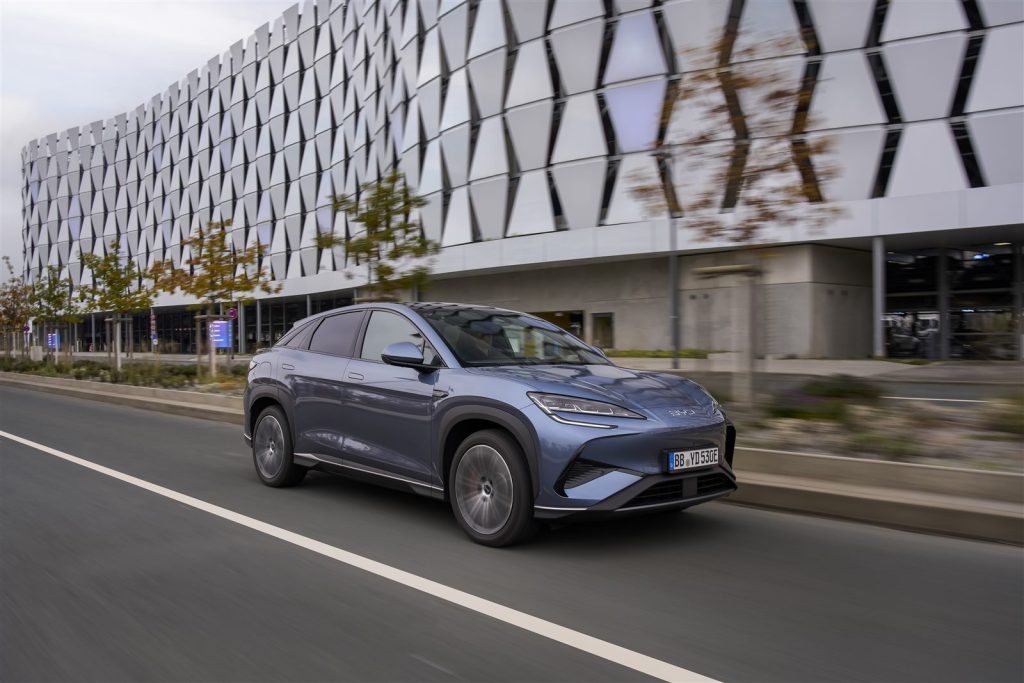
This page is a general reference to the infotainment system of the BYD SEALION 7, a pure electric SUV sold in Australia. It explains what the system includes, what owners may notice when the screen or connected features misbehave, and when to stop troubleshooting and speak to an authorised BYD dealer. It is independent of BYD, so every detail must be confirmed against the official owner’s manual and the manufacturer specifications.
The brochure lists the equipment below as part of the Premium and Performance variants. Software behaviour, menu names and available features can change through updates, which is another reason to rely on BYD Automotive Australia for current information.
Contents
- What the system includes
- Touchscreen freezes and slow response
- Over-the-air updates
- Phone connection and CarPlay or Android Auto
- Audio, voice assistant and navigation
- Digital key and wireless charging
- Frequently Asked Questions
- See Also
- Sources
What the system includes
According to the official brochure, the SEALION 7 has a 15.6-inch intelligent rotating touch screen, 10.25-inch LCD instrumentation behind the steering wheel and a head-up display. Entertainment equipment includes Apple CarPlay and Android Auto, Bluetooth phone connectivity and audio streaming, satellite navigation, music streaming, a voice assistant and a DYNAUDIO premium sound system with 12 speakers. Charging and connection points are listed as 2 USB-C and 2 USB-A ports across the front and rear.
The vehicle also receives over-the-air (OTA) software updates and comes with a 2 GB data plan with 2 years free subscription. Owners should refer to the official owner’s manual for the exact menus that control each feature and confirm with an authorised BYD dealer which features are fitted to a particular vehicle.
Touchscreen freezes and slow response
A touch screen that does not respond, shows a blank area or reacts slowly is a software or hardware symptom that only a technician can diagnose. Owners can note when the symptom appears, whether it happens right after starting the vehicle or only while a phone is connected, and whether any message is displayed. Writing this down helps an authorised BYD dealer reproduce the issue.
The owner’s manual describes any restart or reset procedure that BYD approves for owners. If the manual does not describe one, do not try unofficial resets or third-party tools, because modifications including software changes can affect warranty cover under the Warranty and Service Handbook. The screen controls many convenience functions, so if safety information such as warning messages cannot be read, stop in a safe place and contact an authorised BYD dealer.
Over-the-air updates
OTA updates allow BYD to deliver software changes to the vehicle without a workshop visit. Which updates are available, how they are scheduled and how long they take are set by BYD, so check the owner’s manual and the official BYD Australia website. Keep the vehicle in an area with a stable data connection when an update is offered, and do not interrupt an update that has started.
If an update fails, shows an error or is repeatedly offered, record the message and contact an authorised BYD dealer. Owners should not install files from unofficial sources, as this can interfere with the vehicle systems and is excluded from cover for unauthorised modifications.
Phone connection and CarPlay or Android Auto
The SEALION 7 supports Apple CarPlay and Android Auto, subject to a compatible phone. The brochure notes that compatibility and functionality vary with the device and that wireless Android Auto needs an active data plan, 5 GHz Wi-Fi support and the latest software version on the phone. Dropouts, a missing connection prompt or a phone that does not appear can therefore involve the phone, its software or the cable as well as the vehicle.
Sensible checks are to confirm the phone is on the latest software, to remove old paired entries on both the phone and the vehicle, and to follow the pairing steps in the owner’s manual. If the problem remains after these steps, ask an authorised BYD dealer to check the vehicle side. Subject to manufacturer specifications, support for particular phone models can change over time.
Audio, voice assistant and navigation
The DYNAUDIO sound system, voice assistant and satellite navigation are listed in the equipment table. Missing sound, distortion or a voice assistant that does not respond to commands can come from settings, a source problem such as a poorly connected phone, or a fault. Start by trying a different audio source, which helps show whether the issue is with the source or with the system.
Map and navigation content depends on the services provided with the vehicle, and the brochure states that BYD provides free map updates for 3 years. Confirm the details of this offer and any data requirements with BYD Automotive Australia, because the brochure also states that music streaming requires data usage or Wi-Fi.
Digital key and wireless charging
Premium and Performance include keyless entry and start, an NFC card and a BYD digital key that works through a smartphone app. The brochure lists supported phones as iPhone, Samsung Galaxy or Google Pixel devices and asks owners to check the list in the BYD app or in the vehicle settings. A wireless phone charger is also fitted.
If the digital key or the phone charger stops working, check the phone model against the supported list, remove any metal object or thick case from the charging pad and consult an authorised BYD dealer. Keep the physical NFC card in a safe place as a backup, as described in the owner’s manual.
Frequently Asked Questions
Does the SEALION 7 support Apple CarPlay and Android Auto?
Yes, the brochure lists both, subject to a compatible phone and its software.
What should I do if the touchscreen freezes?
Note when it happens, follow only the reset steps described in the owner’s manual and contact an authorised BYD dealer if the problem continues.
Can I install updates myself from the internet?
No. Only official over-the-air updates should be used, and unauthorised software changes can affect warranty cover.
How many speakers does the audio system have?
The brochure lists a DYNAUDIO premium sound system with 12 speakers.
Where can I confirm which features my vehicle has?
Ask an authorised BYD dealer and check the official BYD Australia website, because equipment can differ between the Premium and Performance variants.
See Also
- BYD SEALION 7 Troubleshooting & Issues Hub
- BYD SEALION 7 DiPilot Driver Assistance Systems
- BYD SEALION 7 12V Auxiliary Electrical System
- BYD SEALION 7 Warranty & Documentation
Sources
- https://bydautomotive.com.au/sealion-7
- https://bydautomotive.com.au/brochures/BYD-SEALION-7-2026.pdf
- https://bydautomotive.com.au/service-and-warranty
Disclaimer: This guide is for informational purposes only. Official specifications, recall details, and warranty terms are determined by BYD Automotive Australia (EVDirect). Always consult an authorized dealer or official owner’s manual.