
Home › Models › BYD SEALION 6 › Troubleshooting › DiLink Touchscreen & Infotainment
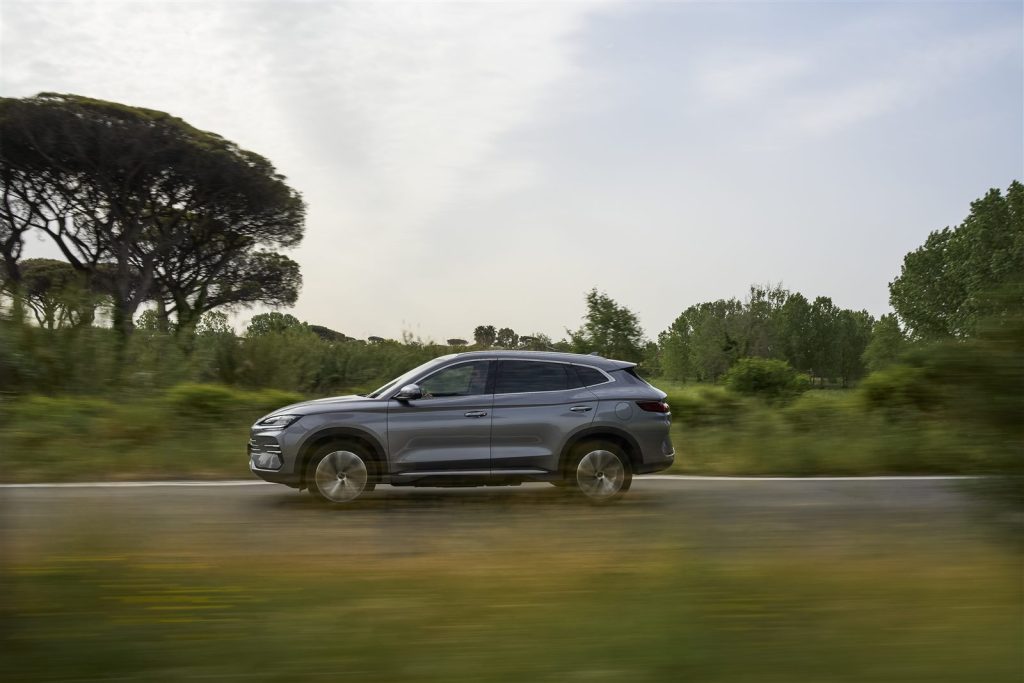
This independent guide covers the DiLink touchscreen, infotainment software, and connectivity features of the BYD SEALION 6 mid-size SUV. Information regarding the rotating central display, smartphone connectivity, audio systems, and firmware updates is detailed below. For any operational concerns, refer to the official owner’s manual.
Please note that trim names, specifications, and prices reflect a compiled dataset (October 2026), and BYD Automotive Australia may update variants. Therefore, every figure must be confirmed with an authorised BYD dealer or the official BYD Australia website.
Contents
- Display Hardware and Rotating Touchscreen
- DiLink Software and Over-The-Air Updates
- Smartphone Connectivity and the BYD App
- Audio Systems and Interior Technology
- Troubleshooting Display Freezes and Resets
- Frequently Asked Questions
- See Also
- Sources
Display Hardware and Rotating Touchscreen
The BYD SEALION 6 features a signature rotating touch screen as the central hub for vehicle settings, climate control, media, and navigation. The Essential variant is equipped with a 12.8-inch rotating touch screen, while the Dynamic and Premium variants feature a larger 15.6-inch rotating touch screen. A separate 12.3-inch LCD instrumentation panel is standard equipment across all variants, delivering essential driving data directly in the driver’s line of sight. This instrumentation displays real-time metrics, including vehicle speed, regenerative braking status, and the current state of charge for the BYD Blade Battery.
The mechanism for the central screen allows it to rotate to accommodate different display layouts. If the rotating mechanism exhibits mechanical resistance, fails to turn, or makes unusual noises, owners should consult an authorised BYD dealer. Do not attempt to force the screen to rotate manually, as this may damage the internal hardware.
DiLink Software and Over-The-Air Updates
The central display operates on BYD’s DiLink software ecosystem. This operating system manages secondary vehicle functions, from setting the automatic dual-zone air-conditioning to configuring the advanced driver assistance systems (ADAS). Through the DiLink interface, drivers can adjust preferences for standard safety features such as blind spot detection, lane departure warning and prevention, emergency lane keeping assist, and traffic sign recognition.
To ensure the system remains current, the vehicle supports over-the-air (OTA) updates. These updates can deliver software improvements and new features directly to the vehicle. When preparing for a BYD Sealion 6 DiLink navigation software update in Australia, owners should ensure the vehicle has a stable internet connection and is parked in a secure location. If an OTA update fails to install or causes subsequent system instability, confirm with BYD Automotive Australia for software recovery steps.
Smartphone Connectivity and the BYD App
Integration with mobile devices is a core component of the infotainment system. BYD Sealion 6 wireless Apple CarPlay and Android Auto connectivity is supported across all trim levels alongside wired options, allowing drivers to project their smartphone’s compatible applications directly onto the central screen. The connection process involves pairing the device and authorising the projection interface.
Owners can also interact with their vehicle using the official BYD app. The integration of digital keys is managed through this ecosystem, with the vehicle supporting an NFC card key, BYD digital key, and Bluetooth key for access and starting functions.
For charging personal devices inside the cabin, Dynamic and Premium variants are equipped with 2 x 15 W wireless phone chargers. While some may inquire about aftermarket solutions resembling a 50W wireless phone charger with a cooling vent for the BYD Sealion 6, the verified factory specification remains at 15 W. For powering larger external devices, the V2L function and V2L discharge adapter are standard equipment, allowing users to operate an appliance power supply via the BYD Sealion 6 V2L system. Ensure any connected appliance is subject to manufacturer specifications regarding maximum power draw.
Audio Systems and Interior Technology
The audio reproduction capabilities of the BYD SEALION 6 depend on the selected variant. The Essential model is fitted with a 6-speaker system, which provides standard audio coverage for the cabin. Upgrading to the Dynamic or Premium variants includes a 10-speaker Infinity audio system. The DiLink touchscreen interface provides comprehensive audio controls and source selection.
Additional interior technology controlled via the central display includes the management of the panoramic glass roof, which is standard across the range. On Dynamic and Premium models, the touchscreen interface is also used for the operation of the PM2.5 filtration system, the one-touch tailgate settings, and the heated and ventilated front seats. A head-up display is also standard on Dynamic and Premium models, offering a secondary readout for critical information.
Troubleshooting Display Freezes and Resets
If the DiLink infotainment unit experiences performance issues, such as lagging responses, unresponsiveness to touch inputs, or screen freezes, a soft reset is an initial troubleshooting step. The exact procedure for forcing a reboot of the DiLink hardware can vary; owners should refer to the official owner’s manual for the correct sequence. This process forces the software to restart without affecting the fundamental drivability of the vehicle.
If the 15.6-inch or 12.8-inch display goes completely black, or if the 12.3-inch LCD instrumentation panel also fails to display information, this could point to a fault within the vehicle’s electrical network. Persistent display faults must not be ignored. Under no circumstances should owners attempt to open the dashboard to access internal wiring; high-voltage orange cables must not be touched or opened by owners, and all repairs must be handled by a qualified technician. Any extensive diagnostic work or hardware replacement must be performed by an authorised BYD Service Centre.
Frequently Asked Questions
How do I install a BYD Sealion 6 DiLink navigation software update in Australia?
Updates are delivered over-the-air (OTA) and will prompt on the central touchscreen when available. Ensure the vehicle is parked safely and follow the on-screen instructions to download and install.
Does the vehicle support Apple CarPlay and Android Auto?
Yes, BYD Sealion 6 wireless Apple CarPlay and Android Auto connectivity is standard across all variants, alongside wired connection options.
What is the capped price servicing schedule in Australia?
Official capped price servicing prices are not published in the evaluated dataset. For details regarding the BYD Sealion 6 capped price servicing schedule in Australia, please contact an authorised BYD Service Centre.
Why is my rotating touchscreen not turning?
The mechanism may be restricted by an object, or there could be a software or hardware fault. Do not force the screen; consult an authorised BYD dealer for inspection.
Are there differences in the audio system between variants?
The Essential variant features a 6-speaker system, while the Dynamic and Premium variants include a 10-speaker Infinity audio system.
See Also
- BYD SEALION 6 Review & Overview
- BYD SEALION 6 12V Auxiliary Electrical System
- BYD SEALION 6 DiPilot Driver Assistance Systems
- BYD SEALION 6 Steering System & Alignment
- BYD SEALION 6 Thermal Management & Cabin Climate
- BYD SEALION 6 Troubleshooting & Issues Hub
Sources
- https://bydautomotive.com.au/sealion-6
- https://bydautomotive.com.au/brochures/BYD-SEALION-6-2025.pdf
- https://bydautomotive.com.au/service-and-warranty
- https://bydautomotive.com.au/public/vehicle-warranty-2026.pdf
Disclaimer: This guide is for informational purposes only. Official specifications, recall details, and warranty terms are determined by BYD Automotive Australia (EVDirect). Always consult an authorized dealer or official owner’s manual.